
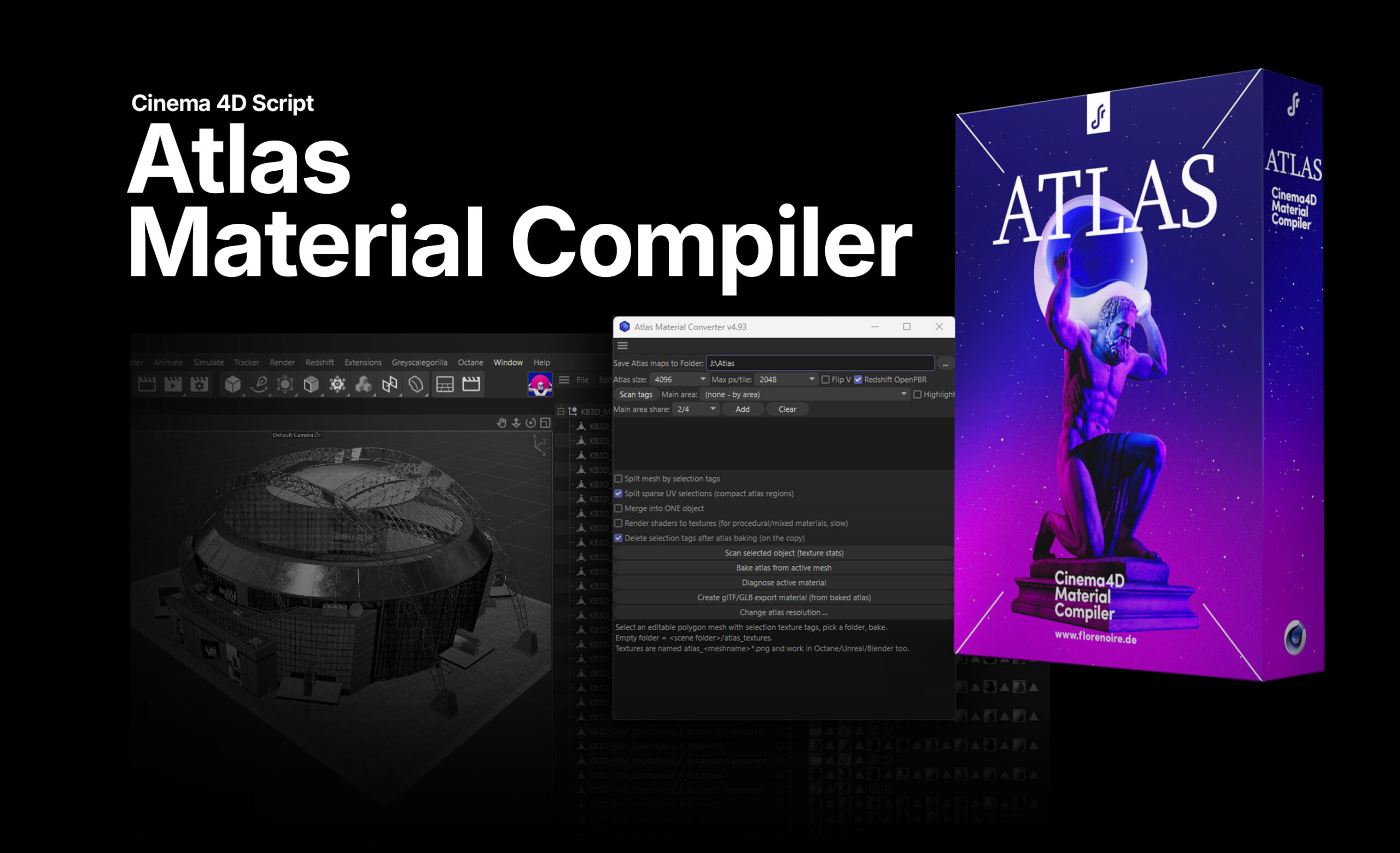
Atlas Compiler is a material compiler for Cinema 4D. It merges all materials of an object into a single atlas material with one texture set and one UV map, for Redshift and Octane. Instead of render-baking, it reads the node graphs directly: each atlas region is sized by its selection tag's surface area, and constant values become mini color patches. Objects with dozens of materials and hundreds of maps shrink down to one.
Windows 10 or 11
Cinema 4D 2024 or newer
(tested with 2024, 2025 and 2026)
One-time payment
All future v1.x updates free
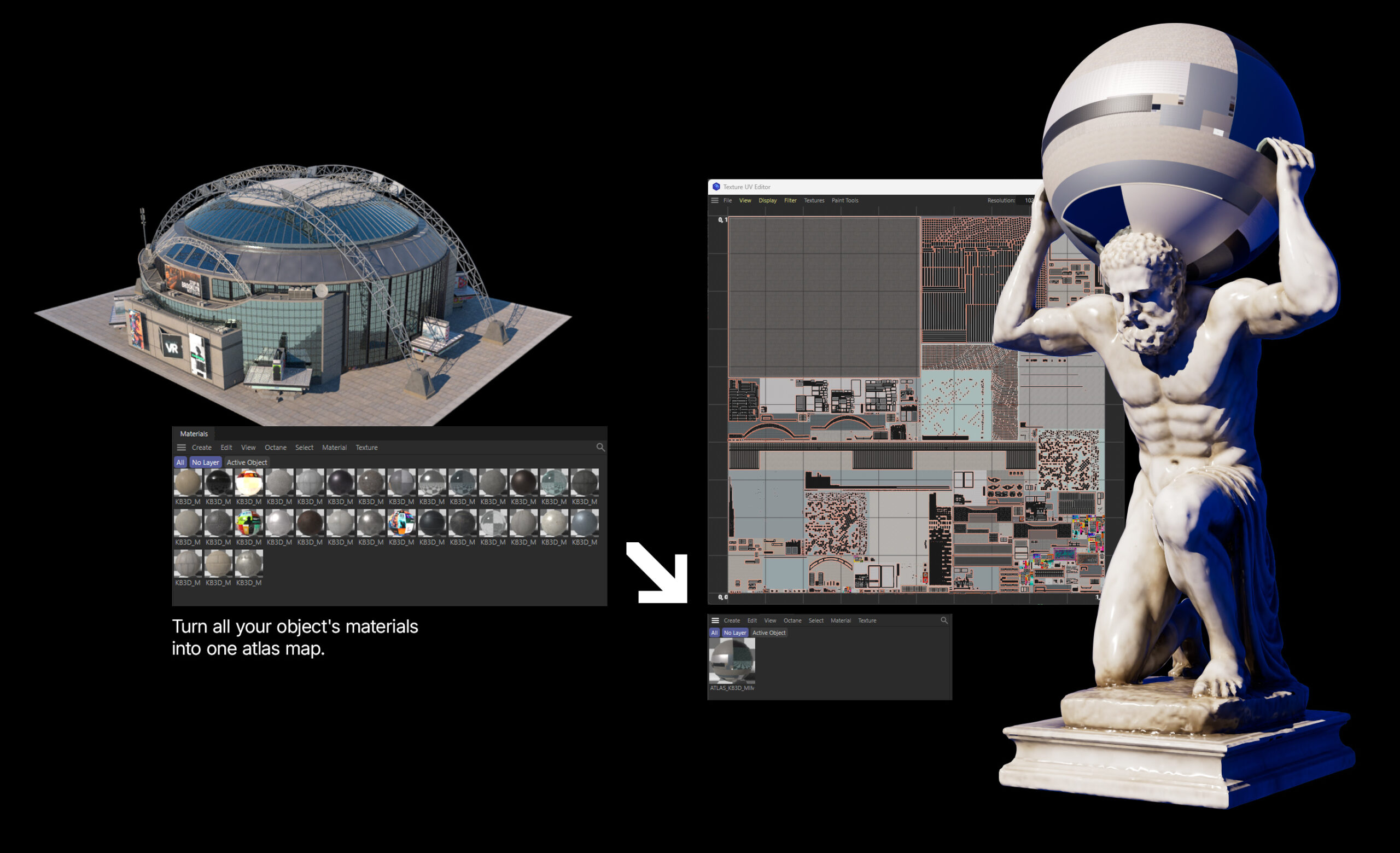

Key Features
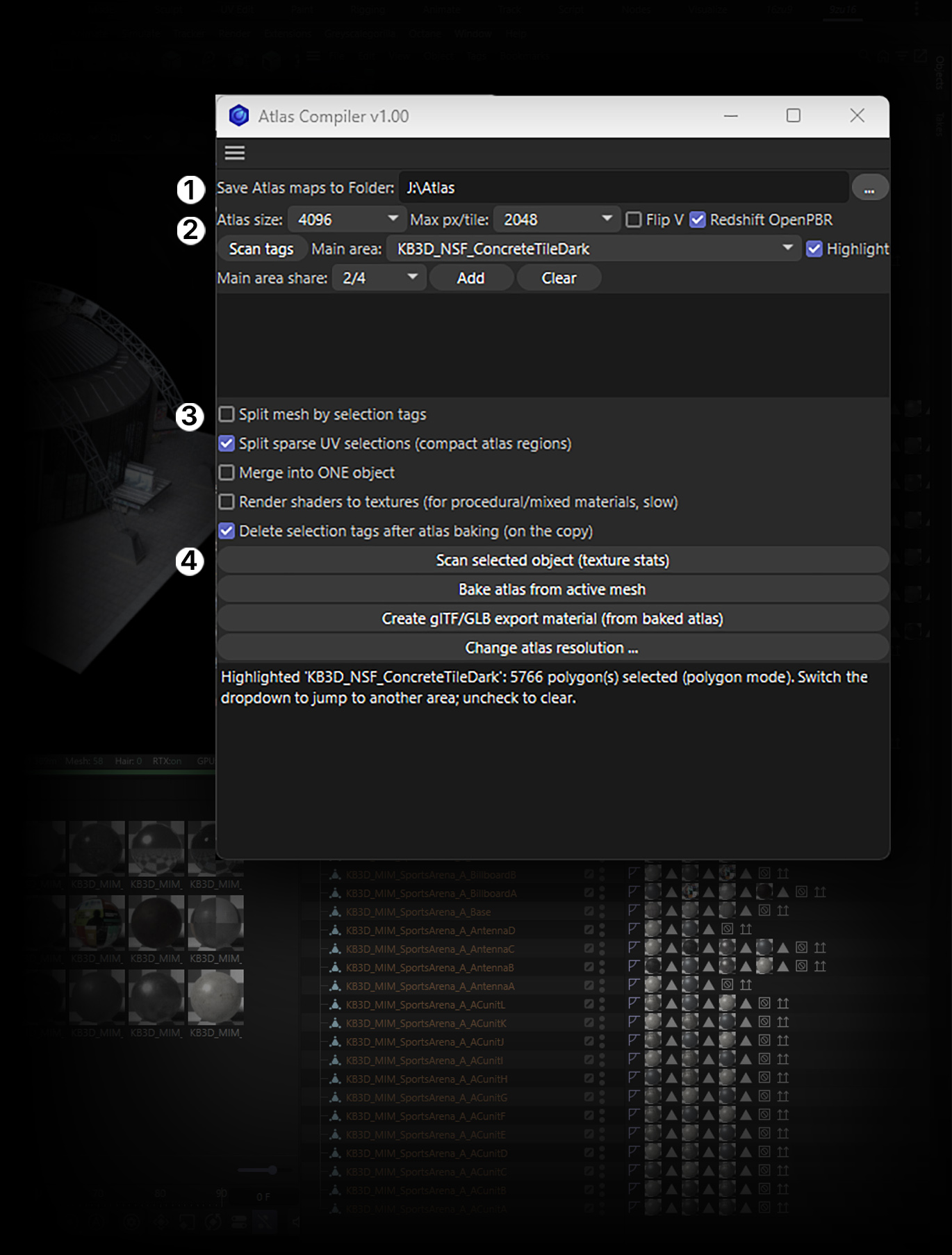
① Output
Save Atlas maps to Folder — Output folder for all atlas textures and temp files. Leave empty to use <scene folder>/atlas_textures. The path is saved between sessions. The … button opens the folder browser.
② Atlas settings & main area
Atlas size (2048 / 4096 / 8192)
Final resolution of every atlas map. The atlas is always filled completely. 4096 is the sweet spot for hero assets; use 8192 if the report shows low px/tile on important areas.
Max px/tile)
Caps the source resolution used per tile (and the render-bake resolution). Lower values = faster test bakes; 2048 is a good default.
Flip V)
Flips the V axis of the rewritten UVs. Use it if the result looks vertically mirrored, then bake again.
Redshift OpenPBR
On: the atlas material is built as OpenPBR.
Off: Redshift Standard. Ignored in Octane scenes.
Scan tags
Reads all selection tags of the active object and fills the Main area list.
Main area
Pick the selection that matters most (e.g. the car body). It gets the largest share of the atlas budget instead of pure by-area distribution. (none – by area) = atlas space is distributed purely by surface area.
Highlight
Highlights the currently chosen selection in the viewport so you can verify you picked the right one.
Main area share (e.g. 2/4)
How much of the atlas the main area reserves for itself (here: half). Add adds the chosen selection to the main-area list, Clear resets it.
Why
Atlas Compiler
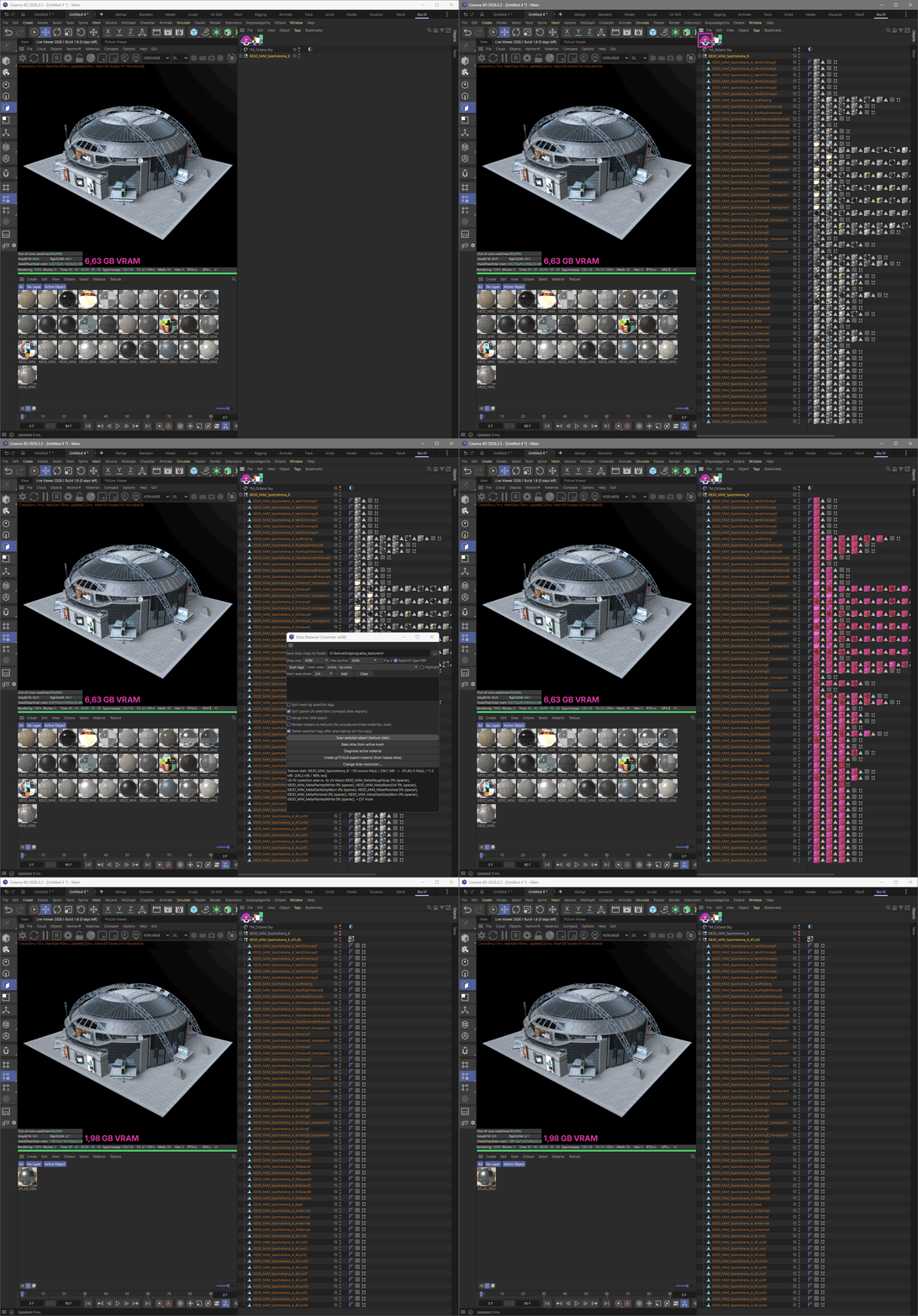
VRAM. A single kitbash asset can eat gigabytes of texture memory — compiled into one atlas (up to 8K), the maps are scaled down and the footprint drops massively. That means you can assemble far bigger scenes in Cinema 4D, especially with models that aren't close to the camera and don't need full-resolution detail. Scenes also load faster and stay cleaner: one material per object instead of dozens flooding your Material Manager and memory on every load.
Quick Installation
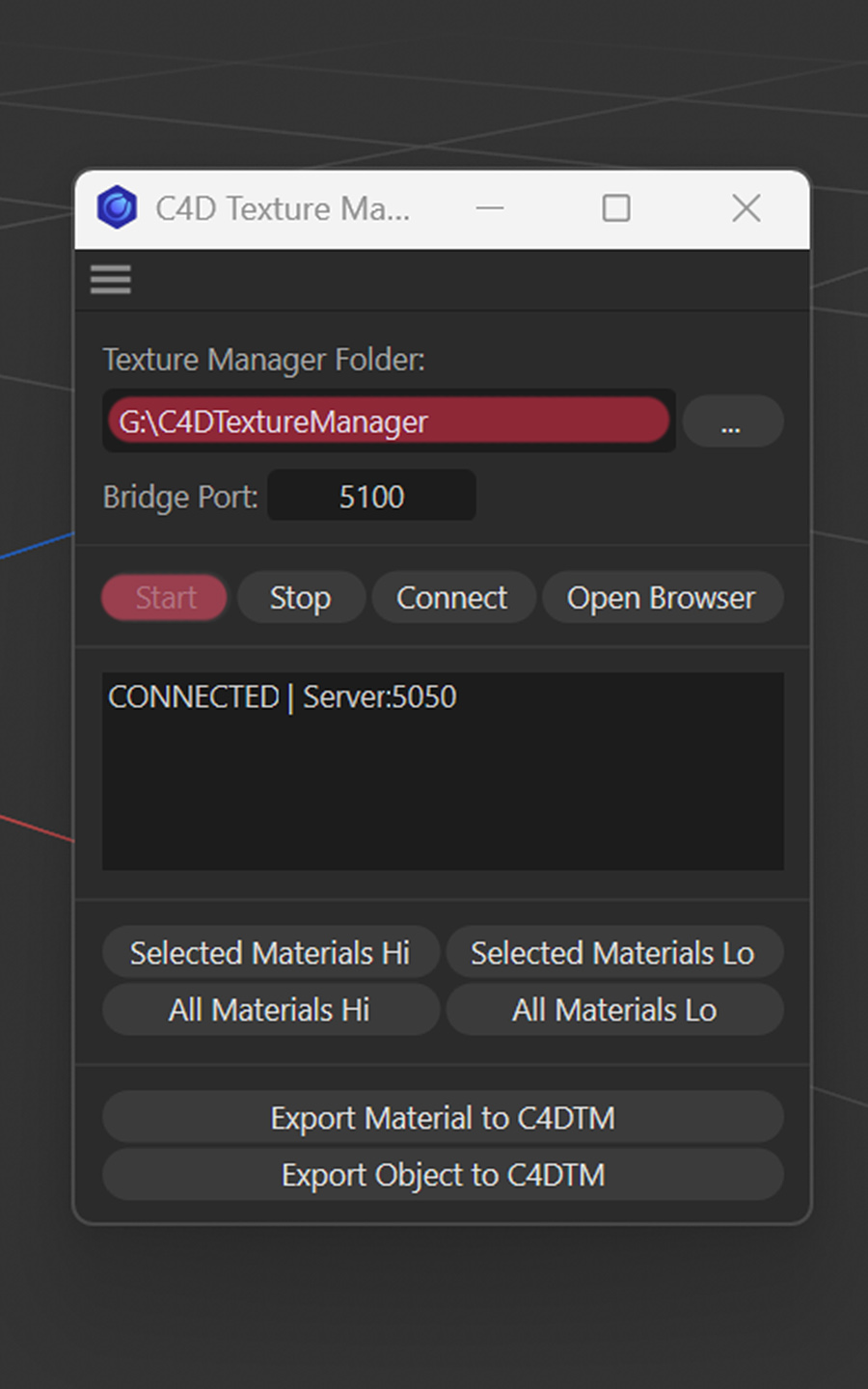
1. Launch the manager
Two ways to start: launch the standalone executable directly, or run the launcher script from inside Cinema 4D — the script boots the manager and opens it in your browser, with the C4D bridge already connected so steps 4 and 5 work out of the box.
2. Add a folder
Click Add folder in the sidebar. Browse to a root containing PBR materials, single textures, or HDRIs (subfolders are fine — the scan recurses). Optionally set ingestion filters (PBR / Pairs / Solo / HDRI) and a resolution cap (1K–8K+) if you only want part of the folder. Confirm to register it as a library root.
3. Index
Click Index now in the header. Files are grouped by base name, classified by filename token (Albedo, Normal, Roughness, …), and routed to PBR, TEX, or HDRI. Cards appear in the grid as they are processed; source files stay where they are on disk.
4. Start the bridge
Run c4d_texture_manager_bridge.py inside Cinema 4D and click Start / Connect. The C4D pill in the manager header turns green once the handshake succeeds. Send actions are no-ops until this connection is live.
5. Pick a renderer and Hi/Lo cap
In the header, choose the target renderer (Redshift or Octane) and set the Hi resolution cap plus the Lo variant size. These settings apply to every Send to C4D action that follows.
6. Send a material to C4D
Click a card to open the material popup, or select multiple cards and use Send Selected. The bridge builds a Redshift Node Material or Octane Standard Surface in the active document, with correct color-space flags on every channel and both Hi and Lo paths embedded for later hot-swap.
Pricing
REQUIREMENTS
Windows 10 or 11 (64-bit)
Cinema 4D 2024 or newer (tested with 2025.2 and 2026.1)
A modern browser (Chrome, Edge or Firefox)
Internet connection on first launch (license activation) and during
every full re-index (catalog sync). Day-to-day use is offline.
FEATURES
• Local & offline
• Auto PBR indexing
• Redshift & Octane export
• Hi/Lo resolution switch
• Consolidate to portable library
• Built-in Texture Lab (BETA)
• Shader & object archive (BETA)
• Categories, tags, color filter
• HDRI library
• Non-destructive workflow
u.v.m
$59 INDIVIDUAL LICENSE
Freelancer, single seat
$99 SMALL STUDIO LICENSE
Agency with 2–10 seats
$149 ENTERPRISE LICENSE
Agency with 11 or more seats
One-time payment
All future v1.x updates free
COPYRIGHT
All artwork on this site are Copyright © 2017 Florian Renner, or their respective copyright holders. Do not use without permission.
Impressum
CONTACT
Florian Renner, Munich, Germany
mobile: +49 (0)157.74 74 74 89
mail: hello (at)florenoir.de